Introduction
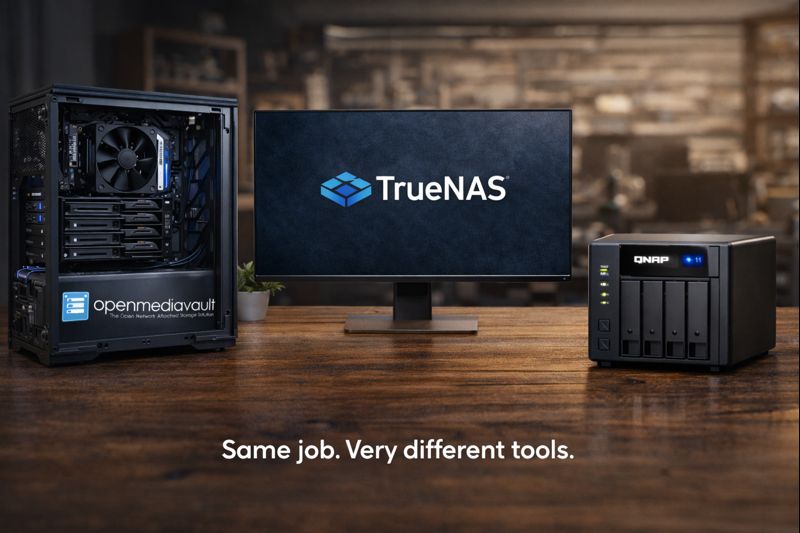
If you’re building a NAS at home, you’ll eventually hit the same fork in the road I did: TrueNAS, OpenMediaVault, or just buy a QNAP (or even a DAS). On paper they all solve the same problem. In reality, they’re very different tools with very different tradeoffs.
I’ve used or seriously evaluated all of them while building my Plex, torrent, and media automation setup. This post breaks down the real pros and cons, then explains exactly why I landed on OpenMediaVault.
What This Post Is About
This is a practical comparison of TrueNAS vs OpenMediaVault vs QNAP/DAS from a DIY home server perspective. No enterprise fantasies. No marketing fluff. Just what actually matters when you’re running this stuff at home.
Why It Matters
Your NAS choice affects everything: performance, expandability, power usage, complexity, and how much time you’ll spend fixing self-inflicted problems. I learned the hard way that the “best” solution on Reddit isn’t always the best solution for your hardware or workload.
Option 1: TrueNAS (CORE / SCALE)
Pros
- Rock-solid ZFS implementation
- Excellent data integrity and snapshot support
- Strong community and documentation
- SCALE supports Docker and VMs
Cons
- ZFS is heavy on CPU and RAM
- Expansion is rigid (vdev rules matter)
- Overkill for simple media storage
- Less forgiving of mixed or old drives
TrueNAS is fantastic if you build around ZFS. ECC RAM, matched drives, planned vdevs. If you’re repurposing random hardware (like I was), it can quickly feel like the software is fighting you.
Option 2: QNAP (Prebuilt NAS)
Pros
- Dead simple setup
- Polished UI
- Low power usage
- Vendor-supported apps and updates
Cons
- Expensive for the hardware you get
- Limited upgrade paths
- Vendor lock-in
- Security history is… not great
QNAP makes sense if you want an appliance. I didn’t. I already had hardware, wanted flexibility, and didn’t feel like paying a premium just to avoid a command line.
Option 3: DAS (Direct Attached Storage)
Pros
- Simple and cheap
- No network overhead
- Works well for single-machine setups
Cons
- No built-in redundancy
- No network sharing
- Not scalable
- Doesn’t replace a NAS
A DAS is storage, not infrastructure. It’s fine for backups or a single PC, but it didn’t fit my Plex + automation + always-on use case.
Option 4: OpenMediaVault (What I Chose)
Pros
- Lightweight and Debian-based
- Flexible storage options
- Plays well with mixed drives
- Docker and plugins when you want them
- Doesn’t demand enterprise-grade hardware
Cons
- UI is functional, not fancy
- Some plugins lag behind
- You still need basic Linux knowledge
OpenMediaVault hit the sweet spot. It stays out of the way, lets me manage storage how I want, and doesn’t punish me for using older drives or unconventional layouts.
Why I Picked OpenMediaVault
- I already had mixed, aging hard drives
- ZFS overhead hurt performance on low-power hardware
- I wanted torrents downloading directly to the NAS
- I wanted full control without vendor lock-in
OMV let me scale gradually, experiment, and recover from bad decisions without rebuilding the entire system. That mattered more than theoretical data integrity.
Lessons Learned
- “Best” depends on hardware and workload
- ZFS is amazing—if you commit fully
- Appliances trade flexibility for convenience
- Simple systems fail less often
Wrap-Up
If you want a polished appliance, buy a QNAP. If you want maximum data safety and plan your hardware carefully, use TrueNAS. If you want flexibility on a budget and aren’t afraid of Linux, OpenMediaVault is hard to beat.
Summary
I chose OpenMediaVault because it matched my reality, not because it was the most impressive option on paper.
Question for the Reader
What are you running for storage right now—and what problem are you trying to solve with it?
Want to read more? Why Nvidia Wants Out of the GPU Game