TrueNAS vs OpenMediaVault vs QNAP

TrueNAS vs OpenMediaVault vs QNAP comparison showing a DIY OpenMediaVault server, TrueNAS interface, and a QNAP prebuilt NAS on a desk

Introduction

If you’re building a NAS at home, you’ll eventually hit the same fork in the road I did: TrueNAS, OpenMediaVault, or just buy a QNAP (or even a DAS). On paper they all solve the same problem. In reality, they’re very different tools with very different tradeoffs.

I’ve used or seriously evaluated all of them while building my Plex, torrent, and media automation setup. This post breaks down the real pros and cons, then explains exactly why I landed on OpenMediaVault.

Read more

Seamless Network Migration

How I Replaced Google WiFi Without Reconfiguring Devices

When people talk about upgrading their home network, they usually assume downtime is unavoidable. Devices disconnect, credentials change, and someone in the house inevitably gets frustrated. My goal was different: I wanted a seamless network migration where I could replace Google WiFi with ASUS hardware without touching a single device.

This article documents what I actually did not what a textbook migration looks like.

Read more

Why I Created an IoT Only Wi-Fi Network

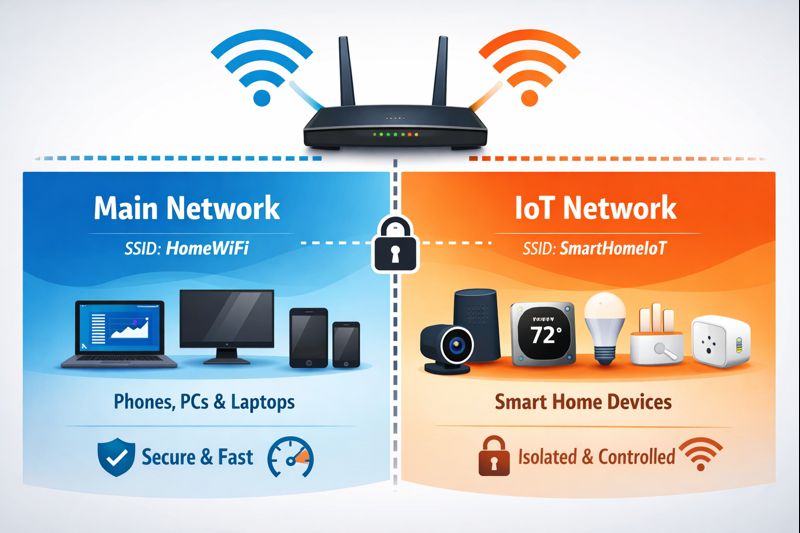
IoT only Wi-Fi network diagram illustrating separation between main home network and isolated smart home devices

And Why You Probably Should Too

I didn’t create an IoT only Wi-Fi network because it was trendy. I did it because it’s best practice for a reason and my home network was proving that the hard way. Random disconnects, smart devices refusing to reconnect, and small configuration changes turning into full outages made it obvious that everything sharing one network was a bad idea.

This post explains why separating smart devices onto an IoT only Wi-Fi network is one of the most practical and stability-focused decisions I’ve made, and why I won’t be merging them back.

Read more

Securing the Torrent Box

A Linux torrent box secured with a VPN, showing qBittorrent running only through an encrypted VPN connection for safe torrenting

This post covers how I secure my torrent box so it only runs torrents when the VPN is active. No firewall killswitch, no Docker, no pretending it’s more complicated than it is.

The goal is simple:

  • The VPN must be up before qBittorrent starts
  • If the VPN drops, qBittorrent must stop
  • qBittorrent should bind to the VPN interface/IP
  • PIA port forwarding should be applied automatically
  • Downloads should land on the drive with the most free space (for now)

This is a service-level enforcement model using systemd:

  • qbittorrent-vpn.service requires pia-vpn.service
  • If the PIA manual connection drops, the VPN service ends
  • When the VPN service ends, systemd stops qBittorrent immediately

Read more

Securing Your Indexers

Linux penguin protected by a shield and lock symbol representing securing your indexers with an always-on VPN for Prowlarr, Sonarr, and Radarr on Linux

Always-On VPN with Custom systemd Scripts

This post documents how I believe you should be securing your indexers; primarily Prowlarr, Sonarr and Radarr, along with the automation services that depend on it behind an always-on VPN using custom systemd scripts.

These services do not download torrents themselves, but they make constant outbound requests to indexers and third-party APIs. I don’t want that traffic coming directly from my home IP.

The goal is simple and strict: if the VPN isn’t up, the indexers should not be running.

Read more

How to Install Sonarr on Raspbian

Sonarr logo next to the Linux penguin holding the Raspbian raspberry, representing installing Sonarr on Raspbian using Docker on a Raspberry Pi

Why the Old Methods Fail

If you search for “install Sonarr on Linux,” you’ll find plenty of guides telling you to add a repo, install Mono, and call it a day. On Raspbian, that advice is outdated and mostly broken.

I hit this wall myself. The traditional Sonarr install steps that work on Ubuntu or Debian-based servers either fail outright or leave you with a non-functional service on Raspberry Pi. This article documents what actually works on Raspbian today.

Read more

How to Install Sonarr

Sonarr logo with Linux penguin representing installing Sonarr on a Linux based system

On a Linux-Based System

Sonarr is one of those tools that feels optional until you use it for a week—then you wonder how you ever managed TV shows manually. This post walks through installing Sonarr on a Linux-based system, assuming you already have basic Linux access and aren’t afraid of the terminal.

If Linux still feels unfamiliar, I strongly recommend reading A Beginner’s Guide to Linux first. It explains distributions, package managers, and basic commands used throughout this guide.

Read more

How to Install Radarr

Linux penguin sitting in front of a terminal with the Radarr logo, representing installing Radarr on a Linux system

On a Linux-Based System

Radarr is one of those tools that quietly becomes critical once you start using it. It handles movie monitoring, quality upgrades, and automation, and it does it well. In this post, I’ll walk through how I install Radarr on a Linux-based system using the official repository.

If you’re brand new to Linux concepts like package managers, services, or the terminal, I strongly recommend starting withA Beginner’s Guide to Linux before continuing.

Read more

How to Install Prowlarr

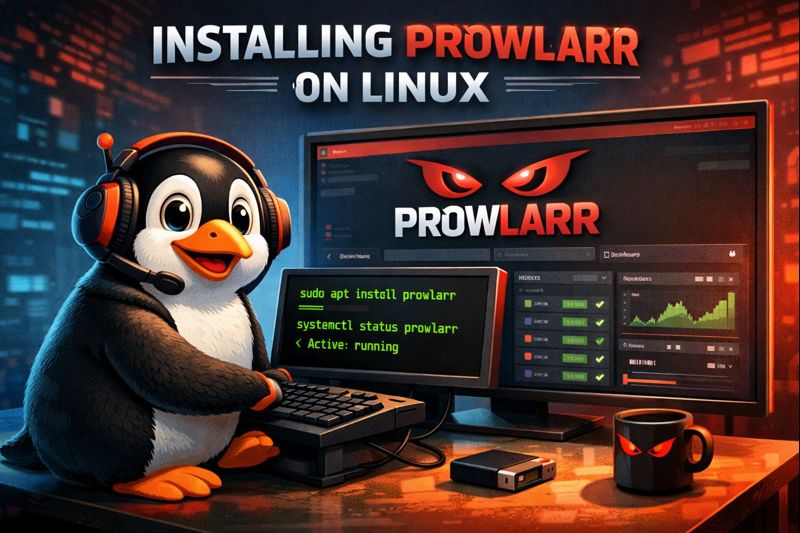
Linux penguin using a terminal to install Prowlarr, with the Prowlarr web interface displayed on screen

On a Linux-Based System

If you’re running a media automation stack on Linux, Prowlarr is one of those tools that quietly makes everything else less painful. It centralizes indexer management for Sonarr, Radarr, Lidarr, and friends, so you’re not reconfiguring the same indexers over and over again.

This post walks through how I install Prowlarr on a Linux-based system using the official method. I’m assuming you already have a basic Linux install up and running. If not, start with A Beginner’s Guide to Linux before continuing.

Read more