And Why You Probably Should Too
I didn’t create an IoT only Wi-Fi network because it was trendy. I did it because it’s best practice for a reason and my home network was proving that the hard way. Random disconnects, smart devices refusing to reconnect, and small configuration changes turning into full outages made it obvious that everything sharing one network was a bad idea.
This post explains why separating smart devices onto an IoT only Wi-Fi network is one of the most practical and stability-focused decisions I’ve made, and why I won’t be merging them back.
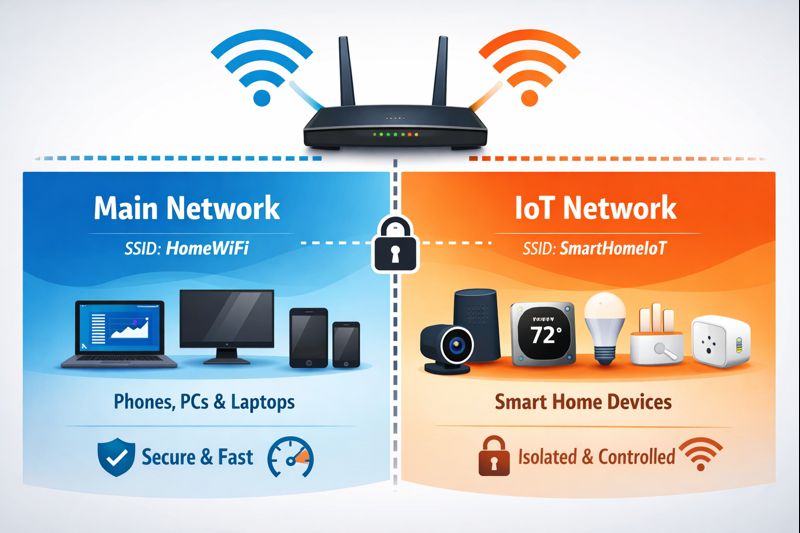
What an IoT Only Wi-Fi Network Actually Is
An IoT only Wi-Fi network is a separate wireless network (SSID) used exclusively for smart devices like:
- Smart plugs and switches
- Thermostats
- Smart speakers
- Security cameras
- Lights, bulbs, and hubs
Your phones, laptops, desktops, and servers stay on the main network. IoT devices live somewhere else.
Why Smart Devices Are a Problem on Main Networks
Most IoT devices are cheap, underpowered, and stuck on outdated Wi-Fi stacks. Many only support 2.4 GHz, struggle with band steering, and react badly to modern features like fast roaming and WPA3.
When these devices share a network with modern phones and computers, problems show up fast:
- Random disconnects
- Slow reconnections after reboots
- Devices dropping offline when Wi-Fi settings change
- Entire mesh networks becoming unstable
In my case, changing one password caused devices across the house to lose connectivity in ways that made no sense—until I realized the weakest devices were dragging everything down.
Security Is the Biggest Win
Most IoT devices are security liabilities. They run closed firmware, rarely get updates, and often phone home to cloud services you don’t control.
By placing them on an IoT only Wi-Fi network:
- They cannot directly access your computers or NAS
- Compromised devices are isolated by design
- Lateral movement inside your network is reduced
Even if a smart plug is hacked, it’s trapped on its own island.
Network Stability Improves Immediately
Once I moved all smart devices to a dedicated IoT network, my main network stopped behaving unpredictably.
- Mesh nodes stabilized
- Phones stopped randomly switching access points
- Reboots stopped breaking half the house
Modern devices expect modern networks. Legacy IoT devices do not. Separating them removes the conflict.
Performance Benefits You Don’t Expect
IoT devices constantly chatter—small packets, frequent keepalives, and unnecessary broadcasts. Individually this is nothing. At scale, it adds noise.
Keeping that traffic off your main network means:
- Less airtime contention
- Cleaner roaming behavior for phones
- More predictable latency
No speed tests will show this clearly, but you’ll feel it.
It Makes Troubleshooting Easier
When something breaks now, I know where to look.
- Phone not connecting? Main network issue.
- Light offline? IoT network issue.
This alone has saved me hours of second-guessing.
What Didn’t Go Smoothly
Some IoT apps assume your phone is on the same network during setup. This means:
- Temporarily joining the IoT network during setup
- Or using devices that support local discovery properly
It’s annoying once. Then it’s done.
Lessons Learned
- Set up your mesh first, then add extra networks
- Don’t change Wi-Fi passwords casually once IoT devices are deployed
- Keep IoT networks simple: 2.4 GHz, WPA2, no fancy features
Wrap-Up
An IoT only Wi-Fi network isn’t about perfection—it’s about containment. Smart devices are unreliable by nature. Treating them as second-class citizens on your network makes everything else better.
Summary
- Better security through isolation
- Improved network stability
- Cleaner performance for real devices
- Easier troubleshooting
Question for You
Are your smart devices behaving… or quietly breaking your network?
If you’ve ever had a “nothing changed but everything broke” moment, an IoT only Wi-Fi network might be the fix.
Want to read more? Why I’m Replacing Google WiFi with ASUS Routers.
Still not sure what IoT is? Read this